On-device background removal in Expo, without an API
Sometimes a feature sounds very simple.
You have a photo, you want to keep the person, product, or sticker, and remove the background. In the end, you just need a transparent PNG.
Usually, when we want to remove a background, we upload the image somewhere, send it to an API, wait for the result, and then download it.
I wanted to see if I could do the whole thing on the device.
So I built expo-cutout.
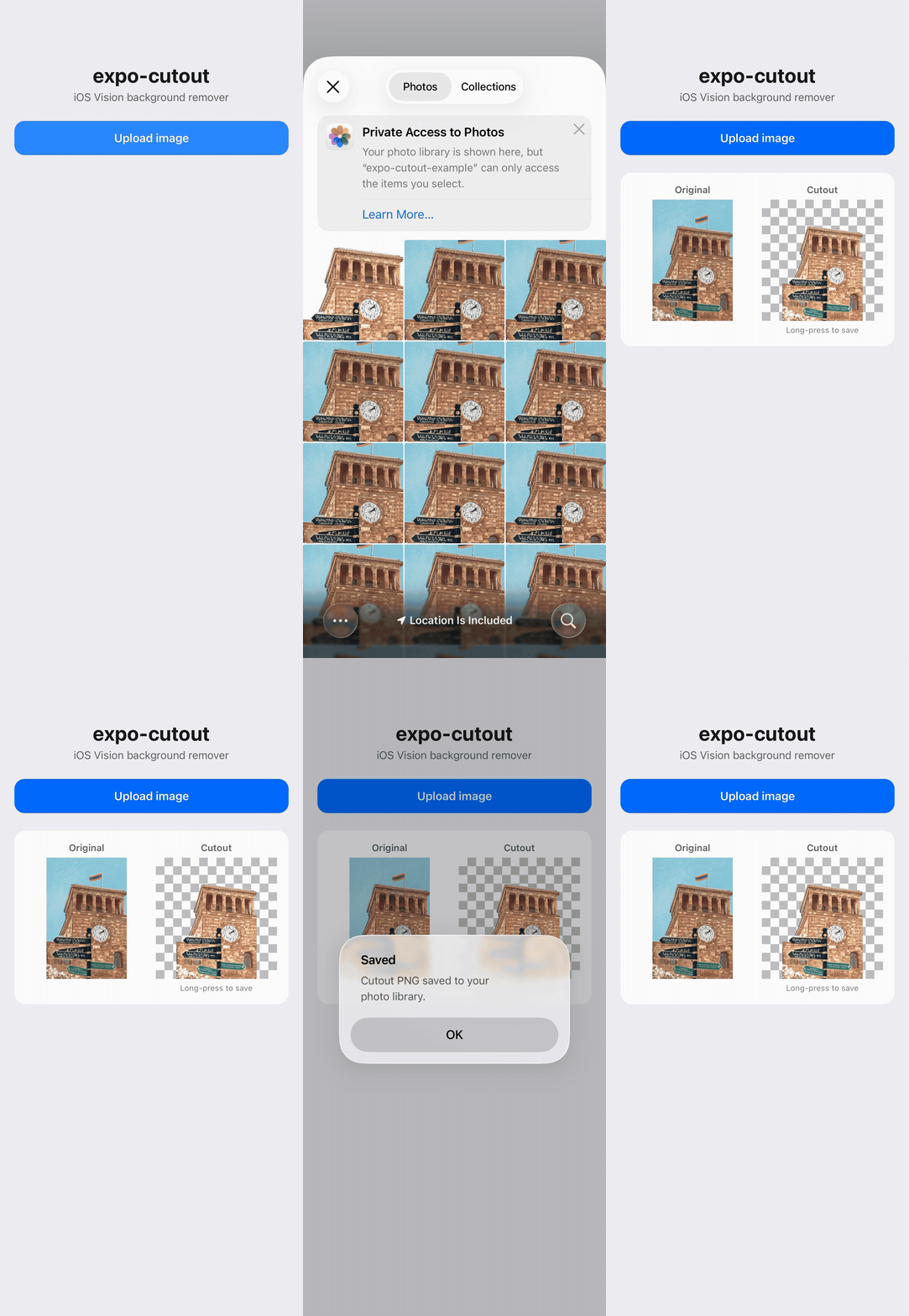
Apple already has the hard part
Starting with iOS 17, Apple Vision has VNGenerateForegroundInstanceMaskRequest.
It takes an image, finds the foreground, and gives you a mask for it.
So the actual background removal model was already there. I didn't need to build or host one.
The main problem was getting everything around it to work nicely from an Expo app.
From JavaScript, the API ended up being pretty small:
import { cutout } from "expo-cutout";

const { uri, width, height } = await cutout(localFileUri);
The result is a file:// URI pointing to a transparent PNG, together with its width and height.
Expo Go can't run it
expo-cutout uses native iOS code, so it can't run inside Expo Go.
The package uses a config plugin:
{
  "expo": {
    "plugins": ["expo-cutout"]
  }
}
After that, you need to prebuild the project and run it with a Dev Client.
For now, the module supports iOS 17+ and Expo SDK 50+.
The image needs some work first
The image you get from the camera or image picker isn't always ready to pass directly to Vision.
One problem is orientation.
Sometimes the orientation is stored in EXIF metadata instead of being applied to the actual pixels. If the image and the mask use different orientations, the result can be wrong.
So I normalize the orientation before doing anything else.
Large photos are another problem. There's usually no reason to run the mask on a huge 4000+ pixel image, so I resize the image if its long edge is larger than 2048 pixels.
There's also a maxDimension option if you want to keep more resolution.
The mask needs some processing too
Vision gives us a mask, but using it directly makes the edges pretty hard.
You can notice it around hair, thin objects, or small details.
I ended up doing some simple processing to make the edges look better: slightly eroding the mask, increasing the contrast, and applying a small blur of around 0.6 pixels.
Then the mask is applied to the original image and the result is written as a transparent PNG.
The output file looks something like:
cutout-<uuid>.png
and is placed in the app's temporary directory.
Keep the files local
The input needs to be a local file:// URI.
For example, when using the Expo Image Picker, make sure the image is copied to the cache directory:
copyToCacheDirectory: true
This is important because the original picker URI may still point to the photo library rather than being a file that the native module can work with directly.
The output PNG is also temporary.
expo-cutout doesn't delete it automatically because it doesn't know when you're finished with it.
So once you've saved, uploaded, or otherwise finished using the result, you should delete the temporary file yourself.
That's basically it
The JavaScript side is intentionally small:
const { uri } = await cutout(imageUri);
But behind that call there is quite a bit happening on the native side: image decoding, orientation handling, resizing, Vision, mask processing, compositing, and PNG encoding.
And the important part is that the original image never needs to leave the device.
No API key. No upload. No external service.
For now, expo-cutout is iOS-only because it uses Apple's Vision framework.
You can find the package on npm: expo-cutout.